How to Turn Off Live Caption on Any Device (2026 Guide): Fix Auto Captions Instantly on Android, iPhone, Windows & Chrome

How to Turn Off Live Caption on Any Device (2026 Guide): Fix Auto Captions Instantly on Android, iPhone, Windows & Chrome

Ever opened a video, joined a call, or watched something quietly—only to see random text popping up on your screen?

That’s Live Caption, and while it’s designed to help, it can quickly become frustrating.

 It blocks your screen
 Turns on automatically
 Interrupts your experience

The worst part?
Most people don’t even know how it got enabled in the first place.

In this ultimate, expert-level guide, you’ll learn:

 How to turn off Live Caption on ANY device
 How to stop it from turning on automatically
 Hidden settings most users miss
 Advanced fixes and troubleshooting

Let’s take full control and make your device distraction-free again.
turn-off-live-caption-any-device-guide
How to Turn Off Live Caption on Any Device (2026 Guide): Fix Auto Captions Instantly on Android, iPhone, Windows & Chrome

What Is Live Caption?

Live Caption is a real-time speech-to-text feature that converts audio into text instantly.

Key Function:

      • Converts any sound into captions

      • Works offline

      • Uses AI-based processing

    It acts like a live transcription system inside your device.


    How Live Caption Works Behind the Scenes

    This feature uses:

        • On-device machine learning

        • Audio recognition

        • Real-time processing

      Important Insight:

      It doesn’t need internet — everything happens locally.

       That’s why:

          • It’s fast

          • It’s private

          • But also resource-consuming


        Why Live Caption Turns On Automatically

        This is where most users struggle.

        Common Reasons:

            • Volume button shortcut

            • Quick settings toggle

            • System updates

            • App triggers (Zoom, Chrome, etc.)

          This is the #1 problem competitors ignore.


          Why You Might Want to Turn It Off

          Major Reasons:

              • Blocks screen content

              • Distracts during videos

              • Uses battery

              • Not always accurate

            Many users prefer manual captions instead.


            How to Turn Off Live Caption on Android

            Method 1: Settings

                1. Open Settings

                1. Go to Accessibility

                1. Tap Live Caption

                1. Turn OFF toggle


              Method 2: Quick Settings

                  • Swipe down

                  • Tap Live Caption icon


                Method 3: Volume Button Shortcut

                    • Press volume button

                    • Tap caption icon

                    • Disable instantly

                  Fastest method for real-time situations.

                  How to Disable Live Caption Permanently on Android

                  Pro Tip:

                  Turn off ALL triggers:

                      • Disable in Accessibility

                      • Remove from Quick Settings

                      • Avoid volume shortcut

                    This prevents auto-activation.


                    How to Turn Off Live Caption on Google Chrome

                    Steps:

                        1. Open Chrome

                        1. Go to Settings

                        1. Click Accessibility

                        1. Turn off Live Caption


                      Quick Access Trick:

                      Type:
                      chrome://settings/accessibility


                      Chrome vs Website Captions

                      Key Insight:

                          • Chrome Live Caption = system-wide

                          • YouTube captions = platform-specific

                        Turning one off does NOT affect the other.

                        How to Turn Off Live Caption on Facebook

                        Video Captions:

                            • Play video

                            • Click CC

                            • Turn OFF


                          Settings Method:

                              • Go to Settings

                              • Video Preferences

                              • Disable captions


                            Calls:

                                • Open call menu

                                • Turn off captions


                              How to Turn Off Live Caption on Mac

                              Steps:

                                  1. Open System Settings

                                  1. Go to Accessibility

                                  1. Click Live Caption

                                  1. Turn OFF


                                Quick Method:

                                    • Control Center → Accessibility → Disable

                                  Mac Keyboard Shortcut Method

                                      • Press Command + F5

                                      • Toggle captions

                                     Fastest pro-level method.


                                    How to Turn Off Live Caption on Windows 10

                                    Steps:

                                        1. Open Settings

                                        1. Ease of Access

                                        1. Captions

                                        1. Turn OFF


                                      How to Turn Off Live Caption on Windows 11

                                      Steps:

                                          1. Settings

                                          1. Accessibility

                                          1. Captions

                                          1. Disable


                                        Shortcut:

                                        Windows + Ctrl + L


                                        How to Turn Off Live Caption on iPhone & iPad

                                        Steps:

                                            1. Open Settings

                                            1. Accessibility

                                            1. Subtitles & Captioning

                                            1. Turn OFF


                                          Note: iOS captions work differently than Android.


                                          How to Stop Live Caption from Turning On Again

                                          Do This:

                                              • Disable shortcuts

                                              • Check updates

                                              • Review app permissions

                                             This is the permanent fix.


                                            Troubleshooting Common Live Caption Issues

                                            Problem: Keeps turning on

                                             Fix: Disable shortcuts

                                            Problem: Not turning off

                                             Fix: Restart device

                                            Problem: Missing setting

                                            Fix: Update OS


                                            Quick Fix Methods (For Urgent Situations)

                                                • Volume button toggle

                                                • Quick settings

                                                • Keyboard shortcut

                                              Best for instant control.


                                              Advanced Settings You Should Know

                                              Customize:

                                                  • Caption size

                                                  • Language

                                                  • Style

                                                 Helps if you want better control instead of disabling.
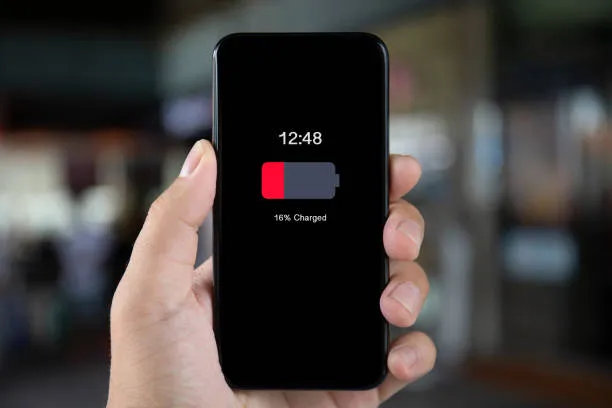

                                                Does Live Caption Affect Battery?

                                                 Yes, slightly.

                                                Because:

                                                    • Constant audio processing

                                                    • Background activity

                                                   Turning it off can improve performance.


                                                  Privacy & Security Explained

                                                  Good news:

                                                   Works offline
                                                   No data sharing
                                                   Private processing


                                                  Live Caption vs Closed Captions

                                                  FeatureLive CaptionClosed Caption
                                                  SourceAuto-generatedPre-made
                                                  AccuracyMediumHigh
                                                  ControlSystem-widePlatform-based


                                                  Who Should Keep It ON?

                                                      • Hearing impaired users

                                                      • Noisy environments

                                                      • Silent viewing


                                                    Who Should Turn It OFF?

                                                        • Regular users

                                                        • Gamers

                                                        • Video watchers


                                                      Final Expert Tips

                                                          • Learn shortcuts

                                                          • Disable triggers

                                                          • Customize before turning off


                                                        FAQs

                                                        1. Why does Live Caption keep turning on automatically?

                                                        Because of shortcuts, updates, or app triggers.


                                                        2. Can I disable Live Caption permanently?

                                                        Yes, by disabling all triggers and accessibility settings.


                                                        3. Does Live Caption work offline?

                                                        Yes, it uses on-device processing.


                                                        4. Will turning it off improve battery life?

                                                        Slightly, yes.


                                                        5. Does it affect YouTube captions?

                                                        No, those are separate.


                                                        6. Can I customize captions?

                                                        Yes, before disabling.


                                                        7. Is Live Caption accurate?

                                                        Mostly, but errors can happen.


                                                        8. Can I move caption box?

                                                        Yes, on most devices.


                                                        9. Why can’t I find Live Caption?

                                                        Your device may not support it.


                                                        10. Is it safe to use?

                                                        Yes, fully private.


                                                        11. Can I turn it on again later?

                                                        Yes, anytime.


                                                        12. Does it work on calls?

                                                        Yes, including video calls.


                                                        Conclusion

                                                        Live Caption is a powerful feature — but only when you actually need it.

                                                        If it’s constantly interrupting your experience, the solution is simple:

                                                         Take control of your settings
                                                         Disable unnecessary triggers
                                                        Use it only when needed

                                                        By following this guide, you’re not just turning off captions…

                                                         You’re optimizing your entire device experience.

                                                        Similar Posts

                                                        Leave a Reply

                                                        Your email address will not be published. Required fields are marked *